Showing posts with label Slope. Show all posts

Thursday, July 20, 2023

Slanted Walls Don't Miter

What if I'm asked to create a vertical bottom wall that will transition into a slanted upper wall? Initially the wall configuration looks like the walls on the left in the following image. I added another vertical wall at the top of the slanted portion just for fun.
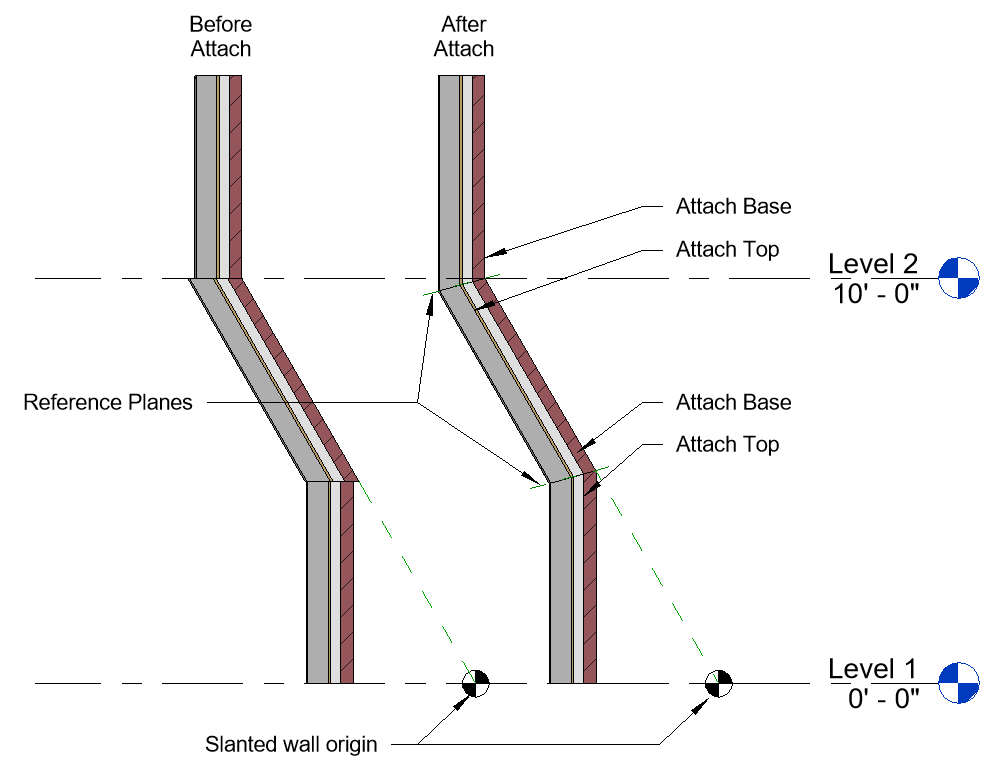

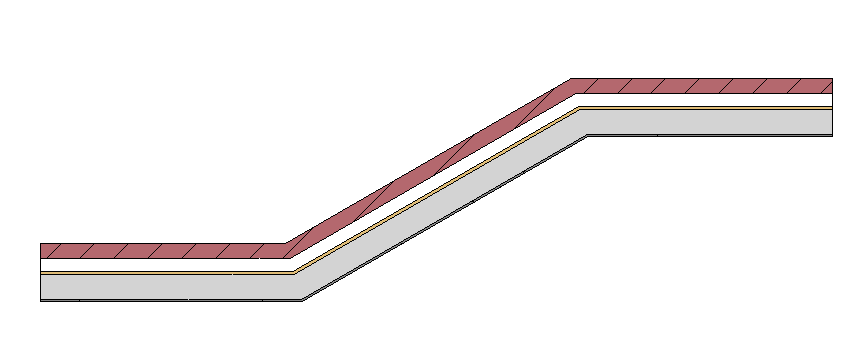
Each wall doesn't know anything about the other so there is no attempt by Revit to miter them together. We might have expected them to join? If we consider what happens in plan views for a similar layout (see image) I don't think it's unreasonable to think that might have happened. If an automatic join occurs in plan views maybe using Join will work in a section? No. Wall Join tool? No. Attach? YES!

To resolve the clumsy look of the left walls and end up with those on the right side of the image we can take advantage of the Attach tool. We just need to add reference planes to define where the miter joint should occur. Then Attach - Top will fix the bottom wall and Attach - Base will fix the upper wall. Repeat as required until all walls relate to each other better.


Wednesday, August 05, 2020

Ramp Slope is Still a Second Class Citizen

Wrote about this before in 2013. Ramps and the Slope Annotation don't like each other. In the past we could work around their unfriendliness by dragging a working slope annotation from an adjacent floor to the ramp. That no longer works since as far back as 2019.

I'm reasonably sure Ramps have a slope... odd that the annotation doesn't think so? I wrote another post in 2013 too that describes using an adaptive point family to add some graphics to a floor posing as a ramp which might also permit using the slope annotation on it instead. Yet another thing to experiment with.

Then again it might just be better to ignore the ramp feature entirely in favor of Floors?


Wednesday, May 29, 2013

Tag Slope of a Ramp

We can apply the Spot Slope annotation to a ramp but it isn't very useful because, while Revit does acknowledge the ramp element, when you attempt to tag it you see [no slope] (image using 2014).


Alfredo replied to my previous post with a tip in his comment:
    If you first place the spot slope tool on a floor and then move the slope annotation to a ramp, it works!

In this image I've dragged a slope annotation from a floor element over to a ramp element and it recognizes the ramp's slope!


Definitely quirky and subtle but at least it is possible after all. A word of caution, it will probably be necessary to check the slope value before printing, for example if Revit regenerates information because the ramp is altered. The tag could could start to report [no slope] again. Fwiw, in my casual testing so far it hasn't broken the slope value even after altering a ramp's parameters. Your mileage may vary...