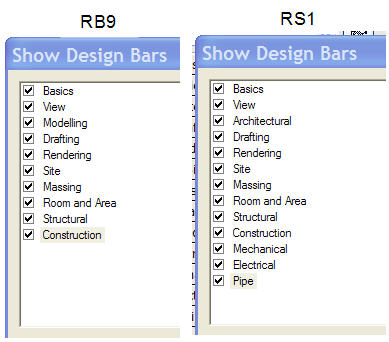
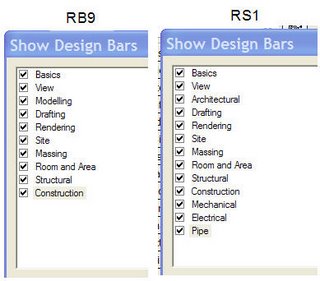
Lately I've read a couple posts in the newsgroups and forums asking, "Why buy Revit Building since it seems that Revit Systems has practically all the Building features?" I thought, "Does it really?" I thought I'd just compare the Design Bars of each version. So first up is the list of Design Bar tabs. Revit Systems
wins with 13 tabs!
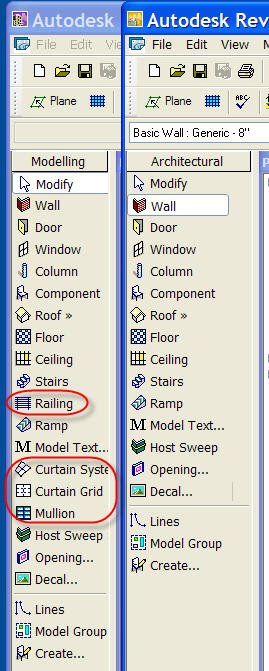
Just to be out of order I decided to compare the Modelling tab which is called Architectural in Revit Systems 1
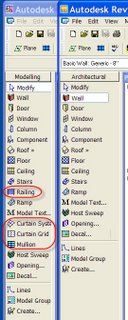
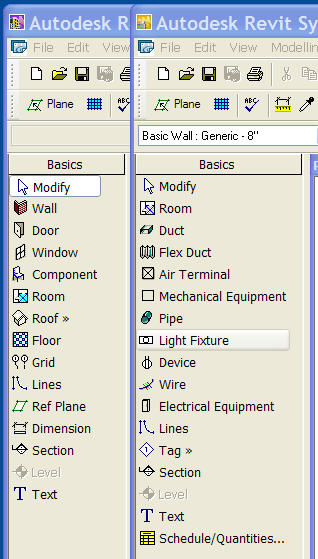
Missing is Railing, Curtain System, Mullion and Curtain Grid. Or are they? They aren't on the Design Bar but they are on the Modelling menu in Revit Systems. Next I looked at the Basics Tab
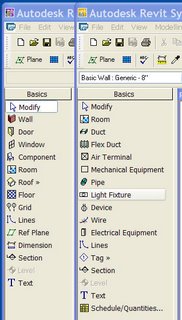
So the big difference here is what commands are located on the tabs. All the commands in Revit Building's Basic tab are in Revit Systems, just not necessarily on the Basics tab. Next...the View tab
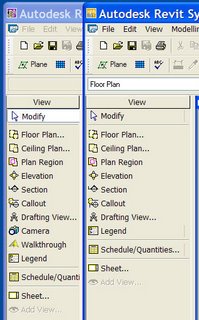
Can you live without the Camera and Walkthrough features? Well you don't have to because they are on the View > New menu. How about the Drafting tab?
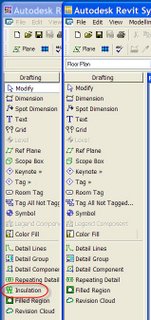
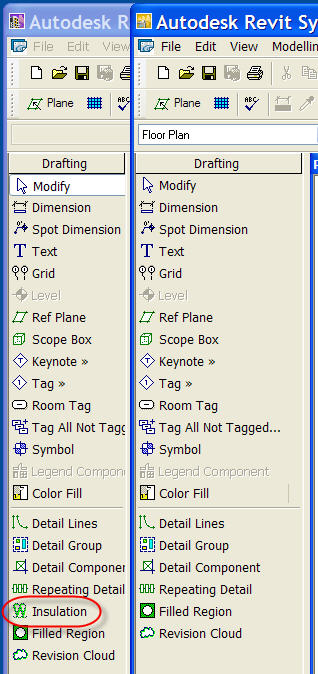
You'll have to live without the Insulation command. Again only if you don't look on the Drafting menu. Okay then...the Site tab
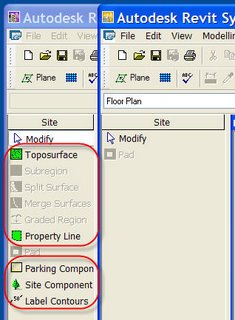
Well that's different!! The menu too. The next tab? Structural!
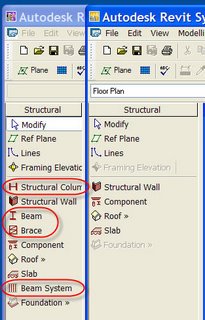
You don't need Columns, Beams, Beam Systems or Braces right? They are highly overrated! Apparently they are overrated because they are not on the Modelling > Structural menu either.
I didn't bother to post images of the tabs for Room and Area, Rendering, Massing, and Construction because they are identical.
To sum up the big difference is the complete lack of the Site features save the Pad. Next up are the primary structural modelling objects. Last is content, very very little of the Revit Building content is part of the Revit Systems install. But technically this could be obtained via Autodesk's web content libraries via Subscription's pages.
Otherwise nearly all the features in Revit Building ARE present in Revit Systems. Are enough present for you? Sorry, not going to catch me telling you yes! That's YOUR call 8-)!
I suppose now I should compare Revit Structure..too? Maybe another time? I CAN tell you this much, you won't have Rooms or Areas, in fact no Room and Area tab, in Revit Structure and that might make it hard to use for architecture on its own eh?